Choosing your email editor
Which email editor is right for you?
On this page:
Using email editors
Mailcoach offers multiple email editors so you can create campaigns in the way that feels most comfortable to you. Depending on your workflow, technical experience, and preference, you can choose between Markdown, HTML, a visual editor, or a drag-and-drop editor.
Choosing an editor
To choose an editor, go to your team’s settings and the Editor tab. From there, you can choose the editor that best matches your needs and writing style.
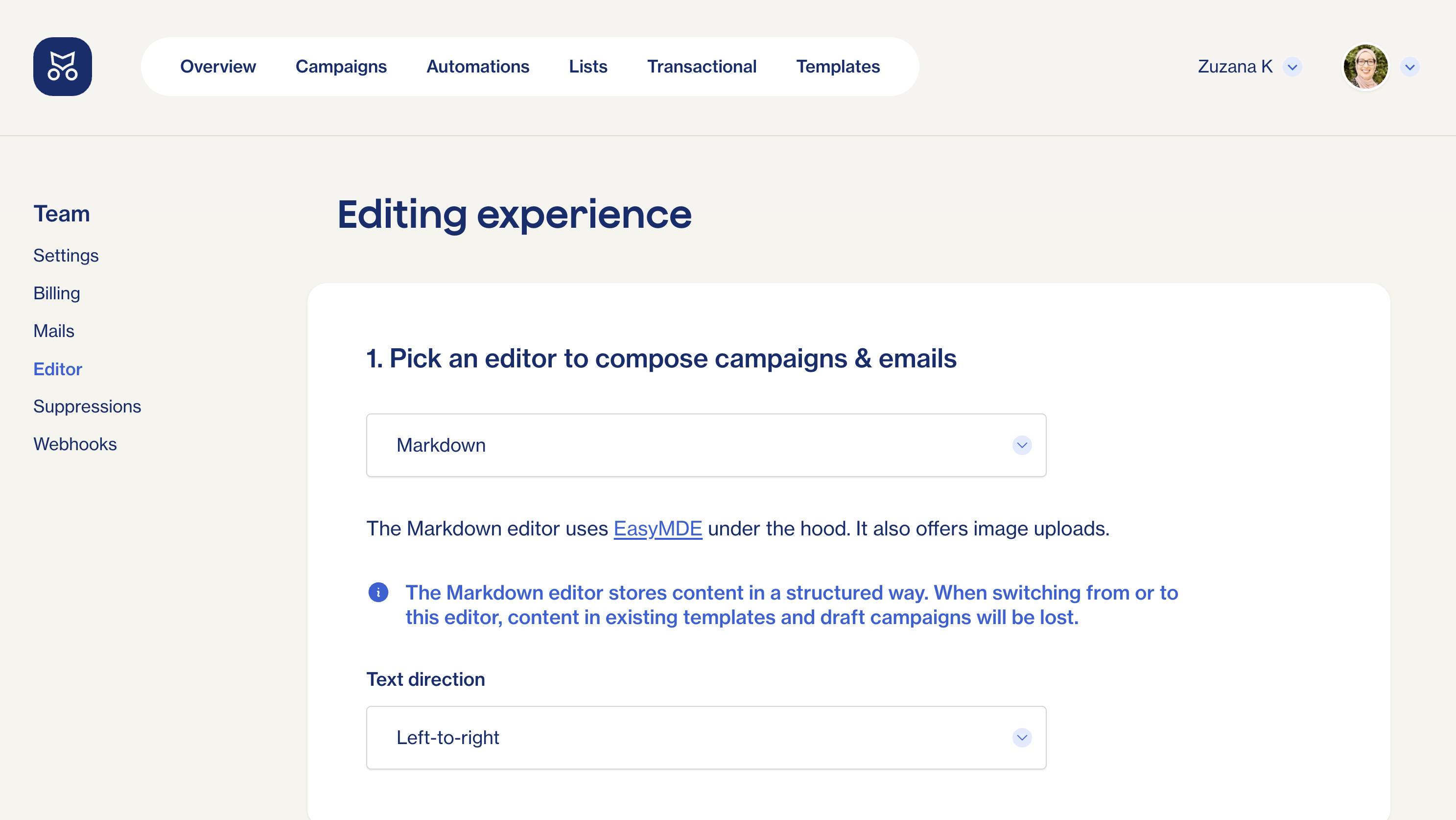
The editor you select only affects how you create your email content. Your campaign settings, audience, tracking, and delivery options remain the same regardless of which editor you use.
Markdown editor
The Markdown editor is ideal if you prefer writing in plain text with lightweight formatting.
You can use simple Markdown syntax to create headings, links, lists, images, and other common email elements. Some users prefer Markdown because it is fast to write, easy to read, and keeps the focus on the content rather than formatting.
Use the Markdown editor when:
- You primarily write text-focused newsletters
- You are comfortable with Markdown syntax
- You want a distraction-free writing experience
- You need to include code snippets with syntax highlighting
HTML editor
The HTML editor gives you complete control over the markup and styling of your emails.
If you have experience with HTML email development, you can build custom layouts, apply your own styling, and fine-tune the appearance of your campaigns. This option provides the greatest flexibility but requires knowledge of HTML and email design best practices.
Use the HTML editor when:
- You need full control over your email design
- You already have custom HTML email templates
- You want to use your own branding and styling
- You are comfortable editing HTML directly
Visual editor
The visual editor ([EditorJS] (https://editorjs.io)) provides a what-you-see-is-what-you-get (WYSIWYG) editing experience.
Instead of working with Markdown or HTML, you can focus entirely on writing and formatting your content through a graphical interface. This makes it a good choice if you want to create emails without learning any markup languages.
Use the visual editor when:
- You prefer a familiar word-processor-like experience
- You do not want to work with Markdown or HTML
- Your emails consist primarily of text, images, and simple formatting
- Multiple team members contribute content
Drag & Drop editor
The Drag & Drop editor allows you to build email layouts visually using predefined content blocks.
This editor is powered by Unlayer and lets you create structured email designs without writing HTML. You can add and rearrange content blocks, images, buttons, columns, and other elements through a visual interface. Mailcoach provides a limited functionality via the free Unlayer tear, but for any advanced functionality, you will need a paid Unlayer account.
Use the Drag & Drop editor when:
- You want to design visually rich marketing emails
- You prefer building layouts with blocks and components
- You need advanced email designs without writing code
- Your team already uses Unlayer
Which editor should I choose?
You can experiment with different editors to find the workflow that works best for your team and your campaigns. Just know that when switching between editors, content in existing templates and draft campaigns may be lost.